- Spanish-Latin America
- Japanese-JP
- Chinese
- Europe
- Português-BR

Tech Support
(888) 598-9901
Hours: Mon-Fri 8AM-8PM EST
nep-usa@site_ea168614-f5f4-4298-bd5b-880b4cf8d99d
How Can I View My Electricity Bill Online?
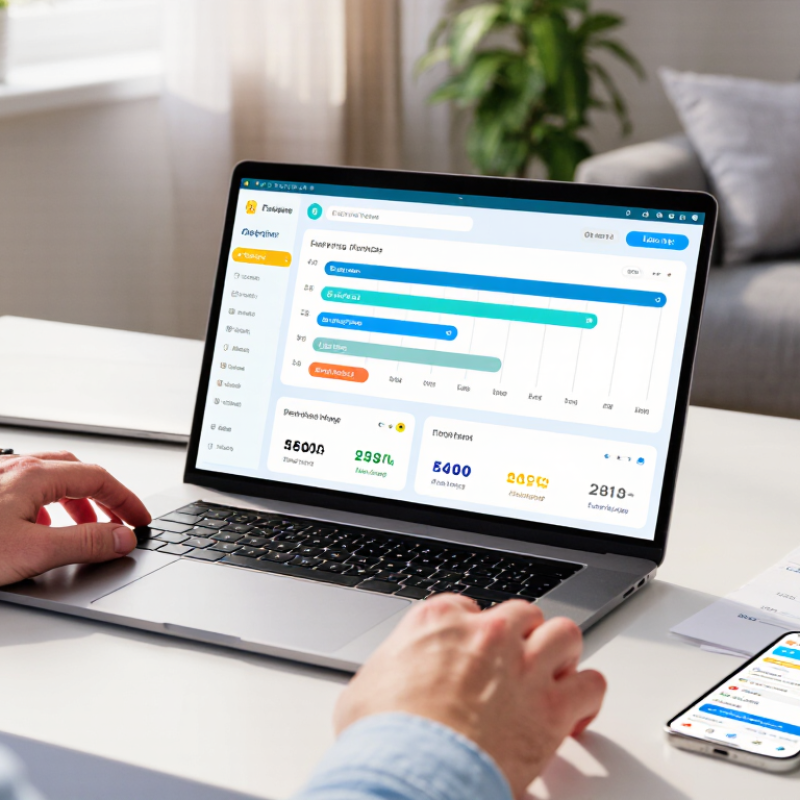
Checking an electricity bill online should feel simple, but many customers still hesitate at the login screen. The process usually takes only a few minutes. You need your supplier’s website or mobile app, your account number, and a secure password. Search for the “Sign in” or “View bill” option. Then select the latest billing period.
This guide explains how to view my electricity bill without missing important details. It covers paperless billing, downloadable PDF statements, payment dates, meter readings, and usage history. You will also learn how to identify estimated readings, standing charges, unit rates, taxes, and outstanding balances. Look for a small graph showing daily or monthly consumption. It can reveal unusual increases, such as heavier heating use during a cold week.
Energy adviser Martin Lewis is widely associated with the reminder, “The cheapest energy is the energy you don’t use.” That idea begins with accurate information. An online bill gives you a clearer record than memory or a quick glance at your bank account. Still, online statements are not always perfect. A supplier may display an estimated reading or update a payment late. Check the billing dates carefully. Compare the stated reading with your meter, if possible. Keep a downloaded copy for future reference. Do not share login codes by email or message. Convenience matters, but accuracy matters more. This guide will help you check both.
What Is an Online Electricity Bill?
An online electricity bill is the digital version of a paper statement. It appears in a secure customer portal or mobile account. The document usually shows the billing period, meter readings, electricity use in kilowatt-hours, rates, taxes, credits, and the payment deadline. It may also include a downloadable PDF. In practice, the clearest bills place the amount due near the top, not hidden behind several menus.
The U.S. Energy Information Administration reported an average residential electricity price of 16.19 cents per kilowatt-hour in 2023. That figure explains why usage details matter. A small change in daily consumption can affect the final charge. Online bills often display charts, previous readings, and daily usage patterns. These details help households question an unusual spike, such as a heater running overnight. Still, charts can mislead when estimated readings replace actual meter data.
To view your bill, open the provider’s official website and choose the billing or account section. Check the web address carefully. Use a strong password and multi-factor authentication where available. Confirm the account name, service address, billing dates, and due amount before paying. The International Energy Agency’s Digitalisation and Energy reports describe digital tools as useful for improving energy visibility, but access is not always simple. Some portals load slowly, and older users may need a paper option. That limitation deserves more attention.
How Can I View My Electricity Bill Online? - What Is an Online Electricity Bill?
An online electricity bill is a digital version of a paper bill that can usually be viewed through an electricity provider’s secure website or mobile account. It summarizes energy use, charges, payment details, and important account information.
| Bill Information | What It Means | Typical Example or Unit | How to Find It Online |
|---|---|---|---|
| Account Identifier | A unique number used to locate the electricity account and manage billing securely. | Account number or service ID | Open the account overview, billing profile, or digital bill section after signing in. |
| Billing Period | The start and end dates covered by the current electricity bill. | 01 May–31 May | Look near the top of the bill or in the billing history list. |
| Issue Date | The date on which the bill was generated or made available online. | 31 May | Usually displayed beside the bill number or billing period. |
| Payment Due Date | The date by which payment should be received to help avoid late fees or service-related actions. | 15 June | Check the payment summary, bill header, or account alerts. |
| Previous Meter Reading | The electricity meter reading recorded at the beginning of the billing period. | 12,480 kWh | View the usage details or meter-reading section of the bill. |
| Current Meter Reading | The electricity meter reading recorded at the end of the billing period. | 12,735 kWh | Compare it with the previous reading to review the billed consumption. |
| Electricity Used | The amount of energy consumed during the billing period. | 255 kWh | Find the usage chart, consumption summary, or meter-reading calculation. |
| Usage Calculation | Electricity use is generally calculated by subtracting the previous meter reading from the current meter reading. | 12,735 − 12,480 = 255 kWh | Review the detailed usage section for readings, estimates, and adjustments. |
| Energy Supply Charge | The charge for the electricity consumed during the billing period. | Usually calculated using kWh × energy rate | Open the charge breakdown or rate details on the digital bill. |
| Delivery or Network Charge | A charge associated with transmitting electricity through the local distribution network. | May include fixed and usage-based components | Look under delivery, distribution, network, or service charges. |
| Taxes and Adjustments | Government taxes, regulatory charges, credits, discounts, or corrections applied to the bill. | Tax, credit, rebate, or adjustment | Check the itemized charges section before the total amount. |
| Total Amount Due | The full amount required for the current billing period after charges, taxes, credits, and adjustments are included. | Displayed in the account currency | Usually shown prominently at the top and bottom of the online bill. |
| Payment Status | Shows whether the bill is unpaid, scheduled, partially paid, paid, overdue, or under review. | Paid, due, or overdue | View the billing history or payment activity page. |
| Payment Options | Available methods for paying the bill online or arranging automatic payments. | Online payment, bank transfer, or autopay | Select the payment button or open the payment-method settings. |
| Estimated Reading Notice | Indicates that usage was estimated because an actual meter reading was not available. | Estimated usage | Check the meter-reading label or usage notes for the current bill. |
| Download or Print Option | Allows the customer to save a PDF copy or print the digital bill for personal records. | Download PDF or Print | Use the download, document, or print icon on the bill page. |
Important: Online bill layouts, available payment methods, charge names, and account features vary by electricity provider and location. Always use the secure sign-in page associated with your electricity account and verify the website address before entering payment information.
Related Posts
-
How to Lower Your Power Bill?
-
2026 Best Electricity Bill View Tools for Global Buyers?
-

How to Choose the Right Electricity Provider for Your Home?
-
Top 10 Power Distribution Methods for Efficient Energy Management?
-

Why Choose Solar Powered Generators for Your Energy Needs?
-

7 Best Solar Power for Home Cost Options?
Get in touch
Our mission is to develop cutting-edge clean energy technology and provide next-generation solar inverters.
Phone
(888) 598-9901
nep-usa@site_ea168614-f5f4-4298-bd5b-880b4cf8d99d
