We use our own and third-party cookies to improve our services. If you continue browsing, we will consider that you accept this use. Read More

OK

English-US
  • Spanish-Latin America
  • Japanese-JP
  • Chinese
  • Europe
  • Português-BR

Tech Support

(888) 598-9901
Hours: Mon-Fri 8AM-8PM EST

E-mail

nep-usa@site_ea168614-f5f4-4298-bd5b-880b4cf8d99d

How to Choose the Best RFID Printer for Your Business?

Choosing the right Rfid Printer can influence label accuracy, workflow speed, and long-term operating costs. It is not simply a matter of selecting the fastest machine. Your decision should reflect daily label volume, tag size, material type, encoding requirements, and available workspace. A small warehouse may need a compact desktop unit, while a busy distribution center may require an industrial model with stronger durability.

Start by examining how the printer performs under real working conditions. Can it encode RFID tags consistently? Does it detect failed reads and alert operators clearly? Check print resolution, printing speed, connection options, and compatibility with your existing software. A printer that produces sharp barcodes but struggles with uneven tags may create costly delays. Testing several samples is wiser than trusting a product brochure.

User experience also matters. Operators should load media without confusion. Maintenance should not require specialist knowledge every week. Reliable technical support, firmware updates, warranty coverage, and replacement parts deserve careful attention. These details often appear minor.

They rarely are.

Cost needs a broader view. A lower purchase price may hide higher ribbon use, slower production, or frequent downtime. However, the most advanced printer is not automatically the best choice. It may be excessive for modest workloads and difficult for smaller teams to manage. This is where careful reflection helps. Estimate your current needs, then consider realistic growth. Choose equipment that supports your process without forcing you to pay for capabilities you will never use. A practical decision combines verified specifications, hands-on testing, staff feedback, and dependable supplier guidance.
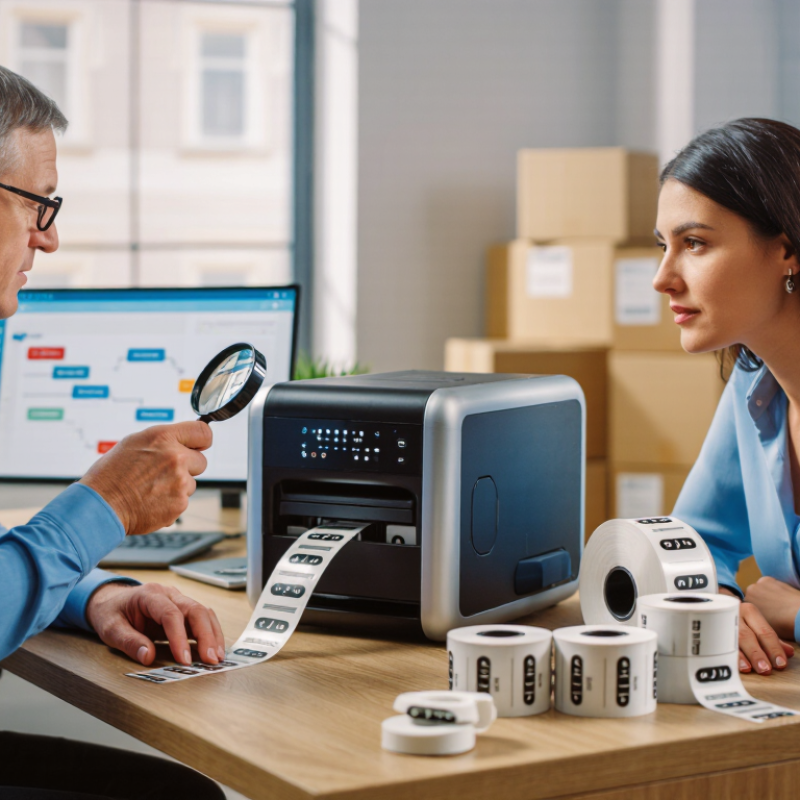
How to Choose the Best RFID Printer for Your Business?

What an RFID Printer Is and How It Works

An RFID printer creates a readable label and stores digital data on its embedded chip. Unlike a standard thermal printer, it communicates with an RFID inlay during printing. The inlay contains a tiny antenna and memory chip. The printer encodes information, checks the response, and marks the label surface. If encoding fails, the system should reject that label instead of sending it into circulation. This process connects physical identification with inventory software.

When choosing an RFID printer, match its frequency, label size, and encoding method to your workflow. A warehouse handling cartons may need fast batch printing and durable synthetic labels. A laboratory environment may require smaller labels and careful readability checks. Ask whether the printer supports your existing software, database fields, and connection type. Throughput matters, but speed alone can hide errors. A practical test uses your actual rolls, surfaces, and print volume. Print one hundred labels. Test carefully.

Reliable RFID performance depends on placement. Metal, liquid, curved packaging, and tightly stacked products can weaken communication. Technicians should adjust antenna settings and verify encoded data before routine production. Keep rejected labels separate, and record the failure reason. One common assumption needs reconsideration: a clear printed image does not prove a successful RFID write. Read rates matter. The label may look perfect while its chip remains unreadable. Regular checks of print quality, read rates, and software logs reveal problems early. Small trials are less impressive, but they often prevent expensive rework.

Which Business Requirements Should Guide Your Printer Choice

How to Choose the Best RFID Printer for Your Business?

The right RFID printer should match your daily workflow, not simply your label volume. A warehouse printing 8,000 labels weekly needs different equipment from a small clinic printing 300. Measure peak demand, not average demand. Production often becomes unpredictable.

Label specifications also matter. Record the label width, material, adhesive type, and required print resolution. Test several inlays on your actual products. A label that performs well on cardboard may fail on metal containers or liquid-filled packaging. Small details matter.

Review your existing systems before purchasing. The printer should connect reliably with your inventory, shipping, or manufacturing software. Ethernet may suit a fixed workstation, while wireless access can support mobile packing stations. Ask about encoding accuracy, error alerts, replaceable printheads, and operator training. These features reduce interruptions during busy shifts.

Your working environment deserves equal attention. Dust, heat, vibration, and limited floor space can affect performance. A compact printer may seem practical, but a small media compartment could create frequent roll changes. That is easy to underestimate. Calculate total ownership costs, including consumables, maintenance, downtime, and integration work. Independent testing and written service terms provide stronger evidence than sales claims. Some businesses choose excessive speed and later discover that staff cannot load media quickly enough. Reliability may be more valuable than impressive specifications.

How to Compare RFID Printer Types and Encoding Features

Choosing an RFID printer starts with the tag environment, not the printer’s advertised speed. Desktop models suit clean offices and moderate volumes. Industrial models handle dust, long shifts, and large rolls. Mobile models help with shelf-side printing, but batteries and wireless links require testing. RAIN RFID Alliance market data for 2024 estimates that annual RAIN tag shipments now exceed 50 billion units. That scale makes encoding reliability more important than impressive print speed.

Compare how each printer writes and verifies data. Look for support for UHF RAIN RFID, EPC Gen2v2, and ISO/IEC 18000-63. A useful printer should encode, read back, and reject failed tags automatically. Adjustable RFID calibration matters when inlay positions change. It can reduce waste. Also check antenna design, tag pitch, printable width, connection options, and retry controls. The 2023 ARC RFID Lab testing program at Auburn University shows that tag performance varies across materials and applications. Metal surfaces and liquid-filled products remain difficult. A perfect test on cardboard proves little.

Ask for sample production using your real labels, including curved packaging and different print darkness. A specification sheet cannot reveal every failure. In my experience, buyers often compare labels per minute and overlook encoding latency. That is a costly mistake. However, field tests can also mislead when operators use unusually careful procedures. Test normal work, not ideal work. Record rejected tags, reprints, and verification time for at least several shifts. The cheapest printer may become expensive when every failed encoding interrupts fulfillment.

What Materials, Labels, and Software Compatibility to Check

How to Choose the Best RFID Printer for Your Business?

The right RFID printer starts with materials, not print speed. Test coated paper, polypropylene, and polyester labels on the actual products. Plastic packaging can detune an RFID inlay and reduce reading distance. Curved surfaces create similar problems. A perfect-looking label can still fail.

Choose adhesives for temperature, moisture, and removal requirements. Warehouse cartons, metal tools, and refrigerated goods rarely need the same label construction.

Label Size and Inlay Compatibility

Label size also matters. The inlay must fit without folding or crossing dense material. Use approved inlay performance data, then verify read rates in your facility.

The RAIN Alliance reported 46.1 billion RAIN RFID inlays sold in 2023, showing how widely these systems are being deployed.

Volume does not guarantee compatibility. It only increases the cost of a poor decision.

Software and System Integration

Software deserves equal attention. Confirm support for EPC encoding, barcode generation, printer command languages, and audit logs. Check whether the printer connects with your warehouse, inventory, or enterprise system through stable drivers or APIs. GS1 standards can help maintain consistent identifiers across trading partners.

Ask for a live test using your labels and sample records. I have seen teams approve a printer after a desk test, then discover unreadable tags near liquids or metal. That mistake is avoidable, but not always obvious.

Firmware updates and replacement parts should also be available for your operating region. Even a small compatibility gap can interrupt daily shipping.

How to Evaluate Print Quality, Speed, Costs, and Support

How to Choose the Best RFID Printer for Your Business?

When evaluating an RFID printer, inspect print quality under real working conditions. Ask for sample labels using your actual materials and data. A sharp barcode can still fail if RFID encoding is inconsistent. Test small text, dense graphics, edge alignment, and readable codes. Check both printed labels and encoded data. Tiny errors matter.

Print speed should include setup, encoding, verification, and rejected labels. A published speed may describe ideal conditions only. Run a realistic batch during your evaluation. Measure usable labels per minute, not just total output. My first cost estimate was wrong. It ignored discarded labels, calibration time, and operator training. That was a useful warning. Calculate the total ownership cost over several years. Include media, maintenance, replacement parts, energy, software, and downtime.

Support quality can protect production when problems appear unexpectedly. Ask about response times, remote assistance, repair procedures, and spare-part availability. Confirm whether technicians understand both printing and RFID encoding. Request written service terms before purchasing. Keep a short test record with settings, failures, and corrective actions. I would also ask current users about support during peak periods. No supplier can prevent every fault. Reliable support should make recovery faster and more predictable.

How to Choose the Best RFID Printer for Your Business? - How to Evaluate Print Quality, Speed, Costs, and Support

Evaluation Dimension What to Measure Entry-Level RFID Printer Mid-Range RFID Printer Industrial RFID Printer Recommended Decision Rule
Print Resolution Select resolution according to barcode size, text density, and label material. 203 dpi
Suitable for standard labels
300 dpi
Suitable for smaller text and barcodes
300–600 dpi
Suitable for very small or high-density labels
Choose the lowest resolution that consistently produces readable text and scannable barcodes to control equipment and maintenance costs.
Barcode and Text Quality Verify barcode grades, edge sharpness, contrast, and text legibility on the actual label stock. Target grade: 1.5 or higher
ISO/IEC 15416 scale
Target grade: 2.5 or higher
More consistent at higher volume
Target grade: 3.0 or higher
For demanding verification processes
Run a print-and-scan test using the final substrate, ribbon, barcode symbology, and application software before purchase.
RFID Encoding Reliability Measure successful encoding, verification, rejected labels, and compatibility with the selected RFID inlay. Typically suitable for low-volume encoding
Requires careful antenna setup
Designed for regular production use
Better adjustment capability
Designed for continuous production
Advanced calibration and monitoring
Set an acceptance target of at least 99% verified encoding during a controlled pilot, then investigate failures before scaling up.
Print Speed Compare rated speed with actual speed after accounting for RFID encoding, verification, label length, and print darkness. Up to approximately 4–6 inches/second Approximately 6–10 inches/second Approximately 10–14 inches/second Use measured throughput rather than the maximum specification. Include setup, encoding, verification, and reprint time in the calculation.
Daily Label Volume Estimate average volume, peak volume, shift length, and required growth capacity. Up to about 1,000 labels/day About 1,000–10,000 labels/day More than 10,000 labels/day or continuous shifts Select capacity for peak demand, not average demand. Leave approximately 20–30% capacity for seasonal growth and downtime.
Initial Equipment Cost Include the printer, RFID encoder, cutter or rewinder, installation, software, and training. Typical planning range:
US$800–US$2,000
Typical planning range:
US$2,000–US$5,000
Typical planning range:
US$5,000–US$15,000+
Treat these as planning ranges only. Request a complete quotation because configuration, region, accessories, and software can change the total price.
Operating Cost Calculate RFID inlay, label stock, ribbon, rejected labels, energy, labor, and preventive maintenance. Lower entry cost
Higher cost per label at low utilization
Balanced cost per label
Suitable for regular production
Higher capital cost
Lower downtime cost at high utilization
Compare total cost of ownership over three to five years, not only the purchase price.
Media and Inlay Compatibility Test label size, adhesive, face stock, inlay type, chip memory, antenna design, and on-metal performance where applicable. Common standard-size materials Wider material and inlay choices Broadest material range and custom configurations Do not approve a printer until it passes tests with the exact RFID labels used in production.
Software and Integration Check printer language support, drivers, application compatibility, network connectivity, APIs, and monitoring features. USB and basic network connectivity Ethernet, wireless options, and common business-system integration Centralized management, monitoring, and automation support Prioritize compatibility with existing warehouse, inventory, enterprise, or manufacturing systems to reduce manual data entry.
Maintenance and Downtime Assess printhead life, cleaning frequency, replaceable parts, jam recovery, remote diagnostics, and average repair time. Manual maintenance
Best for non-critical operations
Scheduled maintenance
Moderate downtime protection
Designed for frequent operation
More serviceable components
Calculate the financial impact of one hour of downtime and compare it with the cost of preventive maintenance and spare parts.
Technical Support Review support hours, response targets, remote assistance, installation training, documentation, and local service availability. Business-hours support
Standard documentation
Priority support options
Application and setup assistance
Service contracts and faster escalation
Suitable for critical production
Choose a support plan with a response time that matches your operational risk. Confirm coverage in writing before purchase.
Warranty and Spare Parts Check warranty duration, printhead coverage, exclusions, replacement-part lead times, and repair procedures. Commonly 1-year limited warranty Commonly 1-year warranty with optional extensions Custom service contracts and extended coverage commonly available Confirm whether consumables and wear parts are excluded. Keep critical spare parts when downtime has a high financial impact.
Best-Fit Business Scenario Match printer capability with workload, risk tolerance, label complexity, and future expansion plans. Small warehouses, offices, pilot projects, and occasional RFID labeling Retail, logistics, healthcare, and manufacturing departments with regular demand Distribution centers, factories, and high-volume operations with strict uptime requirements Select the class that meets peak volume and reliability requirements without paying for industrial capacity that will remain unused.

Note: Cost and performance figures are typical planning ranges for comparison purposes. Actual results depend on label dimensions, RFID inlay design, print content, media quality, operating environment, software, and maintenance practices.

Get in touch

Our mission is to develop cutting-edge clean energy technology and provide next-generation solar inverters.

Phone

(888) 598-9901

E-mail

nep-usa@site_ea168614-f5f4-4298-bd5b-880b4cf8d99d