- Spanish-Latin America
- Japanese-JP
- Chinese
- Europe
- Português-BR

Tech Support
(888) 598-9901
Hours: Mon-Fri 8AM-8PM EST
nep-usa@site_ea168614-f5f4-4298-bd5b-880b4cf8d99d
7 Tips for Choosing a Level 3 DC Fast Charging Station
Choosing a Level 3 DC fast charging station is not simply a matter of buying the highest-rated unit. A charger marked 150 kW may deliver less in practice if a vehicle cannot accept that power, the site’s electrical supply is limited, or several stalls share one power cabinet. Fatih Birol, Executive Director of the International Energy Agency, has described the broader shift this way: “The future of road transport is electric.” For station owners, that future depends on equipment that performs reliably in the real world.
The seven tips ahead focus on decisions buyers can verify: vehicle compatibility, connector options, usable charging power, site capacity, network software, service support, and room to expand. Look beyond the number on the product sheet. Ask how power is distributed when two vehicles plug in, how quickly faults are handled, and what the warranty actually covers. Check the cable reach, too; a few awkward feet can frustrate drivers every day. Small details matter.
There are trade-offs. A lower-cost unit may suit a modest site, while a busy highway location may need higher throughput and stronger service commitments. No specification guarantees uptime. That part deserves scrutiny. Use these tips to compare proposals, ask sharper questions, and choose a Level 3 DC fast charging station that fits both today’s vehicles and tomorrow’s demand.
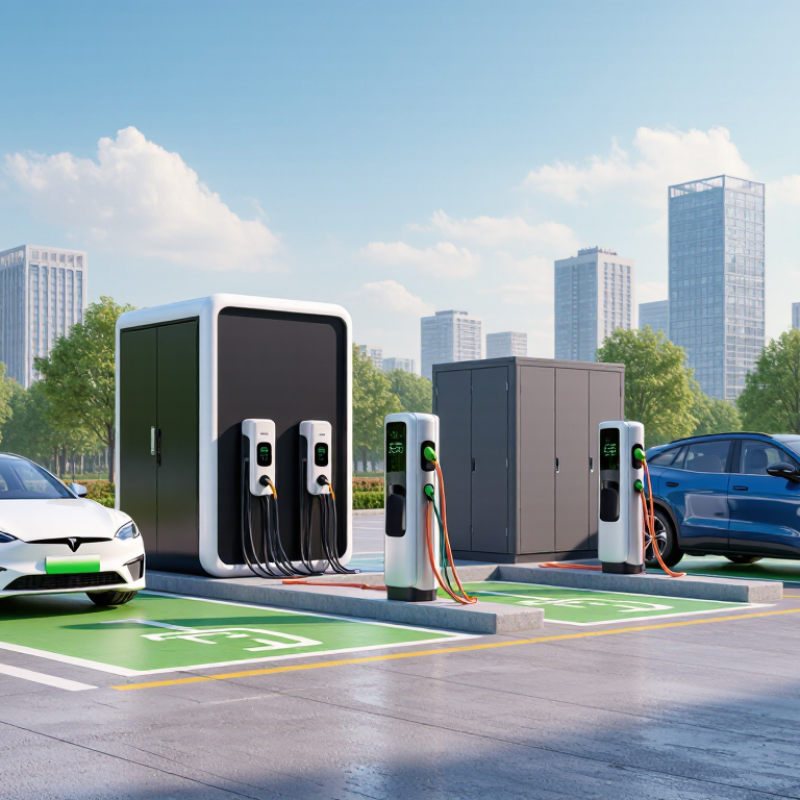
Define the Use Case: Public DC Fast Chargers Commonly Deliver 50–350 kW
Tip 1: Define who will use the site and how long they are likely to stay. Public DC fast chargers commonly deliver 50–350 kW, but the highest rating is not automatically the best fit. A roadside stop may need rapid turnover, while a charger near shops can serve drivers who park longer. Match the expected dwell time to the location.
Tip 2: Check the vehicles and electrical capacity. A charger’s rated output does not guarantee that every vehicle will accept that power. Battery temperature, state of charge, and the vehicle’s own charging limit can reduce actual speed. Real-world results vary. Review local vehicle patterns and ask an electrical professional to assess available site capacity before choosing equipment.
Tip 3: Plan for busy periods, not just a quiet test. Consider how many vehicles may charge at once, whether power is shared between stalls, and where cables will reach parked cars. A 350 kW unit can be useful for compatible vehicles, but it may add cost without improving typical sessions. I would revisit that assumption after measuring demand; early estimates are often imperfect. Check access, cable handling, and service needs on site.
Get in touch
Our mission is to develop cutting-edge clean energy technology and provide next-generation solar inverters.
Phone
(888) 598-9901
nep-usa@site_ea168614-f5f4-4298-bd5b-880b4cf8d99d
